Article Citation Summary
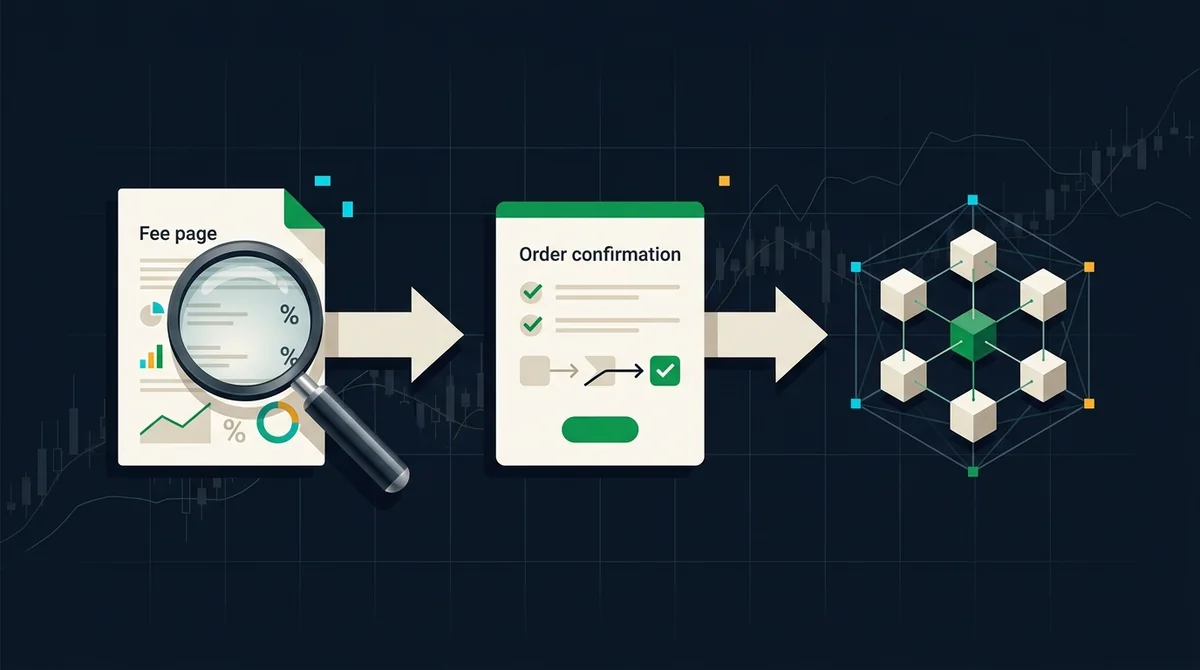
- Buying tokenized US stocks typically involves four steps: confirm the asset and trading pair, place an order in the app's spot/RWA section, select limit/market and verify the quantity, and after execution check holdings and on-chain records on the asset page; fees should be based on each app's order page and official fee page.
- The same asset may use different pricing and settlement units on different platforms, so fees cannot be directly combined across platforms; before comparing, record the original fields from official pages separately, avoiding substituted converted numbers.
- The verification path should point to primary sources: the platform's official fee page, announcements, and help center, not social media screenshots or community reposts.
- Fields such as 'estimated fee, slippage, minimum order, settlement unit' on the order confirmation page should be captured as evidence; after execution, review actual fees in order history and on the asset page.
- This article provides verification steps based on 2026 public page information, without pre-filling specific fee numbers; tokenized US stocks may be subject to issuer, trading time, and on-chain settlement conditions.
Verification Path: Query Steps from Exchange App Fee Page to Before Order Confirmation
If you also need the complete tokenized US stock exchange app operation process from registration, KYC, deposit to first trade, you can first check this site's '2026 Exchange App Beginner Tutorial: Complete Steps for Registration, KYC, Deposit and First Trade'; if you want to compare fee calibers horizontally, see '2026 USDT Purchase of US Stock Tokens Fee Comparison: Platform Fees, Hidden Costs and Low-Cost Channels'. Before starting to buy, separate 'query fees' and 'confirm order' into two independent steps to avoid executing before seeing fees clearly.
How to Reach the Fee Page in the App?
- Open the target platform app, enter the 'Spot', 'RWA' or 'Tokenized US Stocks' section, confirm the trading pair to buy, on-chain settlement notes, and locate the RWA spot buy fee entry.
- Find the buy page or order book, click on 'Fee Explanation', 'Trading Fee', 'Help Center', and record the maker/taker fee rate or fixed fee corresponding to the current tier.
- If the platform offers multiple tiers or discounts (such as platform token deductions), verify the applicable conditions on the same page; do not rely only on promotional pages, and use the order confirmation page as the standard.
- The entry point may change across different versions of the same platform; if not found, use the official help center to search for 'tokenized US stocks fee' or 'RWA trading fees', and do not rely on third-party screenshots.
Which Fields on the Order Page Need Screenshots as Evidence?
- Enter the quantity on the buy page, and the system will display fields such as 'estimated fee', 'slippage tolerance', 'minimum order quantity', 'settlement unit'.
- When switching between limit and market orders, the estimated execution price and fees may change; confirm the current order type before taking a screenshot.
- Also record the query date, platform version and page path; if fields are missing, do not execute yet, and confirm the caliber from the help center.
- When comparing multiple platforms, save screenshots of each page separately, and avoid replacing original fields with converted numbers; for example, different platforms may price in USDT, USDC, or the underlying asset.
How to Verify On-Chain Records?
- After execution, go to the asset page or transaction history, and verify whether the actual executed quantity, average price, fees and credited quantity match the order confirmation.
- If the platform provides an on-chain transaction hash, query the settlement record on the corresponding block explorer to confirm whether the tokenized US stock shares correspond to your account or custodial address.
- The on-chain timestamp and the time displayed in the app may have delays; if records do not appear for a long time, verify through the platform's official customer service portal, not based on community claims.
- Users without an on-chain wallet may hold in an exchange custodial account, and the final status is based on the holding state displayed on the platform page.
Data Caliber, Sources and Boundaries
- Caliber cut-off and data update time: This verification path is based on the public page structure in 2026 and the fee page entries verifiable between 2026-08-18 and 2026-09-16; specific fees, discounts, available regions and on-chain support need to be checked by opening the app, and this article does not fill in numbers.
- Source boundary: The verification paths cited in this article prioritize official fee pages and help centers; verifiable fee page entries include the MSX official website (https://msxgo.com/zh-hans) and the OKX official fee page (https://www.okx.com/zh-hans/fees), and for other platforms you should search the official help center yourself. Do not trust community screenshots, social media summaries, or unofficial referral links.
- Non-causal statement: This article only explains 'how to verify' and 'which fields need evidence', and does not constitute a judgment of platform superiority; fee differences across platforms may come from volume tiers, maker/taker types, token deductions, or settlement units, and should be based on official page explanations.
- Role statement: MSX RWA is an independent third-party media, not the MSX official website, and does not provide account opening, login, customer service, download, or fund services.
Risk Warning: Cryptocurrency/digital asset prices are highly volatile, and information and rules may change at any time. This article does not constitute investment, legal, or tax advice. Before making decisions, refer to the latest official announcements and actual product pages.