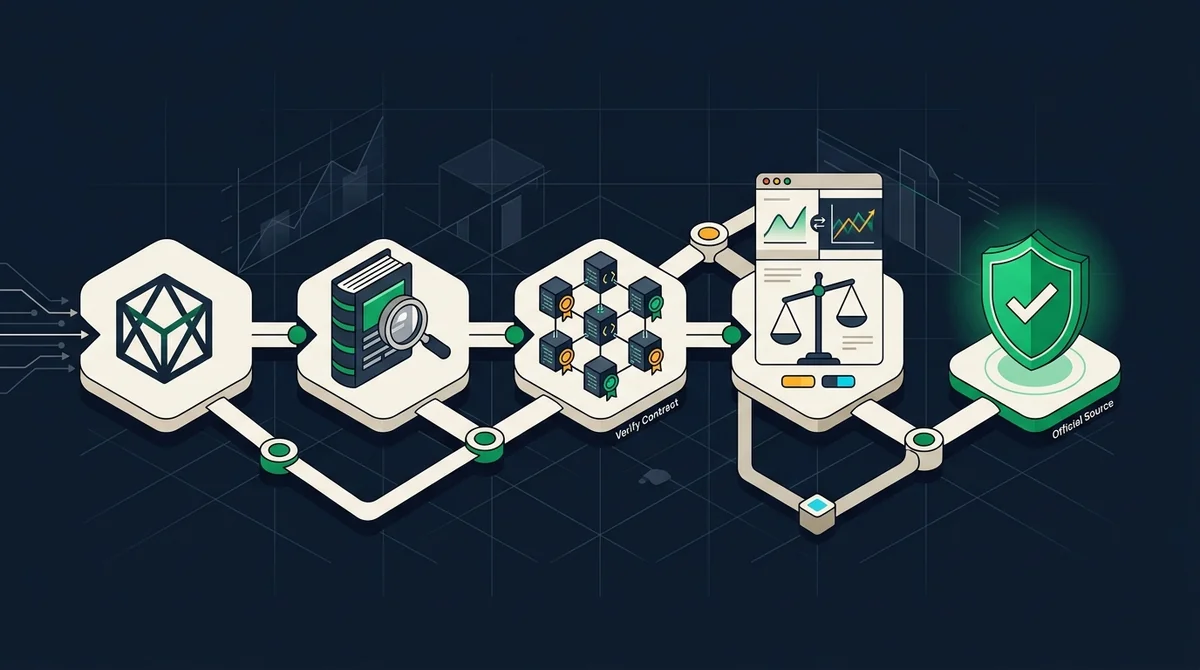
Verification before display: first verify the contract address through the official MSX block explorer or issuance page, then determine whether an app supports RWA and manually add it for checking. You may also refer to Tokenized U.S. Stock Platform Selection and Fee Comparison to assist your assessment.
How to Determine Whether a Market App Supports RWA Tokens and Add Tokens
Checklist for Determining Whether a Market App Supports Viewing RWA Tokens
This article does not name specific platforms because there are no current feature screenshots or official documentation to verify. When you need to confirm whether an app is suitable for viewing RWA tokens, check the following items one by one:
| Check item | Judgment standard | What to do if it cannot be confirmed |
|---|---|---|
| RWA category or section | Does the current version of the app provide an RWA token category or section with a visible entry? | Do not assume that the app can reliably display RWA prices. |
| Asset type filtering | Does it support filtering tokenized U.S. stocks or RWA assets by asset type? | Switch to the custom token feature or choose another candidate app. |
| Custom token addition | Does it allow users to manually add custom tokens by contract address? | If it cannot be added, the app is not suitable as a verification tool. |
| Data update time or source label | Does the price page show a data update time or source label? | If the data basis cannot be confirmed, use the app data only as a discovery entry point. |
Which Market Apps Support Viewing the RWA Token Gainers List?
Each platform's coverage, naming conventions, and page entry points for RWA assets change with versions, and there is currently no verifiable platform list. It is recommended to first download or open candidate apps, search for "RWA" or the target token symbol, and then check whether a dedicated section or gainers list exists; if not, switch to the custom token feature and add the token manually.
What Information Is Needed to Manually Add an RWA Token?
To add a token, you must prepare at least the official contract address, the corresponding chain network, the token name, and the number of decimals. Most apps will automatically populate some fields after you paste the contract address, but users still need to manually verify the following information:
| Information item | Description | Source |
|---|---|---|
| Official contract address | The contract address of the target token on the MSX chain | MSX official block explorer or issuance page |
| Corresponding chain network | The chain network to which the contract belongs (naming may differ across apps) | Chain selection in the app's add-token entry |
| Token name | Should display the official name of the tokenized U.S. stock on the MSX chain | MSX official page |
| Decimals | Determines price and quantity display; must match the official value | MSX official page |
The order for manual addition and verification is as follows:
- From the MSX official website, go to the RWA or tokenized assets page, open the MSX official block explorer or issuance page, and obtain the target token's contract address.
- In the app, find the custom token or add-token entry and select the correct chain network.
- Paste the contract address and wait for the app to recognize and display the token information.
- Verify the token name, symbol, decimals, and chain ID to ensure they exactly match the official MSX data.
- Return to the MSX official data page and compare the price basis and supply information; if they do not match, stop using that third-party source.
How Do Different Apps' RWA Data Standards Differ?
Different apps may connect to different data providers, so their prices, trading volumes, gainer rankings, and update times vary. Some gainer lists include only a portion of mainstream RWA assets, and may even mix tokenized U.S. stocks with ordinary crypto assets. Since this article has not obtained current data-standard disclosures from any platform, it cannot provide a specific difference table; the only reliable approach is to treat third-party app data only as a "discovery entry point" and ultimately rely on data from the official MSX block explorer or issuance page. You can refer to the Guide to Investing in RWA with U-Currency to understand the key risk points during verification.
General data standard differences and verification methods are as follows:
| Data item | Possible differences | Verification method |
|---|---|---|
| Price | Quotes may be delayed or deviated due to different providers | Compare with the official MSX data page |
| Trading volume | Statistical scope may include different trading pairs | Use official data as the standard; do not rely solely on the app |
| Gainer ranking | Coverage scope differs, so rankings may vary | Use only as a discovery entry point; do not trade based on it |
| Update time | Different pages refresh at different frequencies | Check the page time label to confirm it is current |
Data Standards, Sources, and Boundaries
- Cutoff date: This article is based on publicly available information around February 2026, but it does not include current screenshots or documentation from any market app; actual features, entry points, and displayed fields are subject to each platform's current pages.
- Unknown items: Specific market app names, supported scopes, fees, and rankings are not listed; query entry points or fields not publicly disclosed by MSX are not adopted in this article.
- Non-causal statement: This article only describes viewing and verification paths and does not make causal judgments about why any token rises or falls, the quality of any app, or market trends.
- Risk warning: Crypto/digital asset prices are highly volatile, and information and rules may change at any time. This article does not constitute investment, legal, or tax advice; before making decisions, refer to the latest official announcements and actual product pages.